
Searching Cases by Name
For name searching in Dickinson County District Court, the public entry point is the Kansas District Court Public Access Portal. Accept the terms first. Pick District, then Party Name. Names go in a set order: Last Name, First Name, or Last Name, First Name Middle Name. An asterisk works as the partial-match character. The tooltip asks for at least three letters of the last name and one letter of the first name.
- Open the official portal and accept the public-information notice.
- Choose District, then Party Name as the search type.
- Enter the name in Last Name, First Name order. Use an asterisk only as the official tooltip permits.
- Open Additional Search Filters to narrow by case type or filing-date range when needed.
- Complete the human check, run Search, and compare each result by county, type, and case number.
- Open the matching case and verify the event or hearing against the clerk-held record when accuracy is critical.
The assigned official search tooltip source preserves these name and number rules:
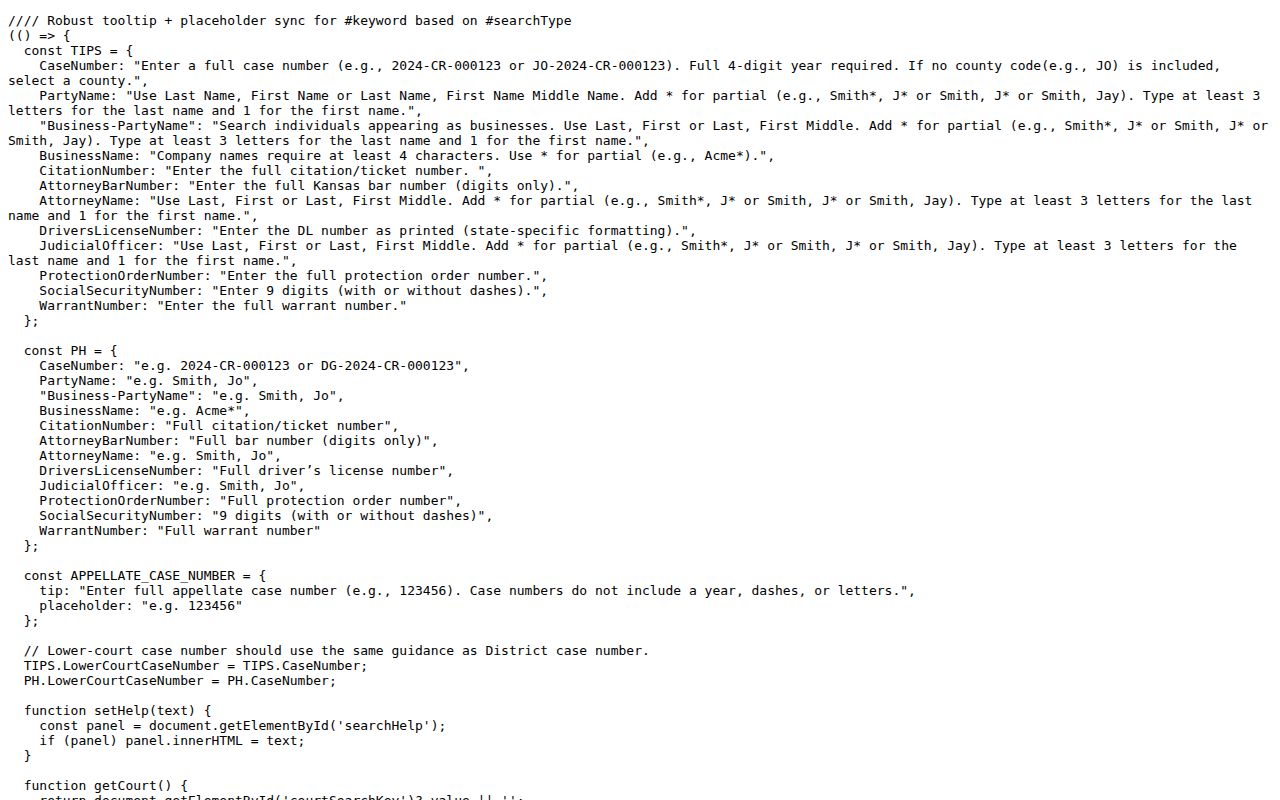
Exact name order and the partial-match syntax both matter when a broad Dickinson County docket search returns too many hits.
Dickinson Portal Fields That Matter
The portal opens with a compact first form and an optional filter layer. Court, Search Type, and Search Term must be filled in. County shows up for a district case-number search only in one situation. The number must lack a county code. Filters can trim a crowded name result. But base them on facts you already know about the case.
| Field | Type | Required | Dickinson Use |
|---|---|---|---|
| Court | Dropdown | Yes | Choose District for Dickinson District Court |
| Search Type | Dropdown | Yes | Case Number, Party Name, Business Name, Party As Business Name, or Citation Number |
| Search Term | Text | Yes | Format depends on the chosen type |
| County | Dropdown | Conditional | Select Dickinson when DK is absent |
| Case Type | Dropdown | No | Criminal, Civil, Family, or Probate or Mental Health |
| File Dates | Date range | No | Narrows common-name results |
| Human check | Verification | Yes | Must finish before Search activates |
The current Kansas search application supplied another assigned image:
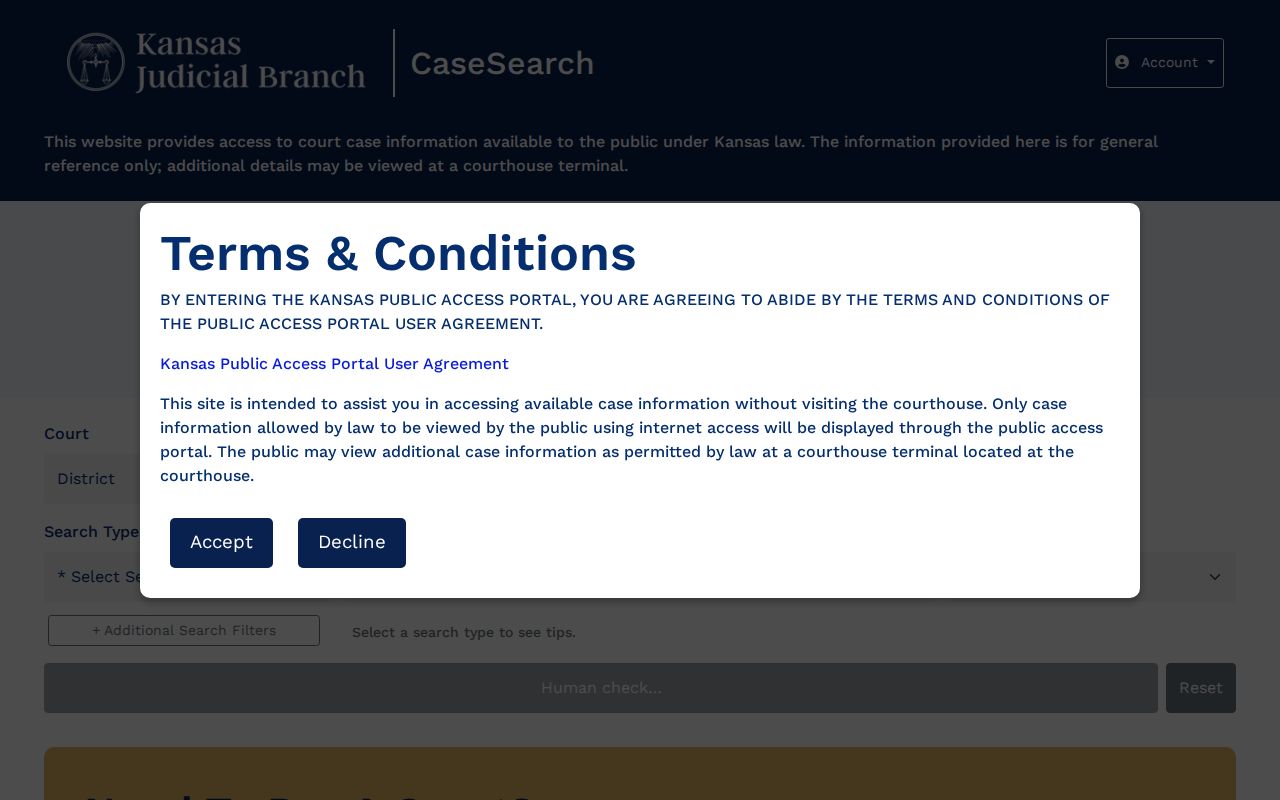
The interface places the county docket search inside the broader statewide district and appellate system.
Searching by Case Number
A modern Dickinson County case number usually looks like DK-2024-CR-000123. DK is the county code. 2024 is the four-digit year. CR is the case-type code, and the last six digits run in sequence. Other codes you may see: CV for regular civil, LM for limited civil, and DM for domestic relations. PR is probate. JC is child-in-need-of-care, and JV is juvenile offender. TR is traffic. FG is fish-and-game. SC is small claims.
To search by number, choose Case Number and enter the full identifier. If DK is left off, select Dickinson in the county field. Cases started before the August 5, 2019 Odyssey migration may carry an older form such as 2018-CV-000123. That form has no county prefix. So a failed modern-format search does not mean the older Dickinson case is gone.
Note: A complete case number is the narrowest search key. It avoids the false matches that common names create.
Dickinson Numbers Before Odyssey
Dickinson County joined the first deployment track of Kansas eCourt on August 5, 2019. The centralized Odyssey system is now called Enterprise Justice. It switched the standard identifier to the DK-prefixed format. That shift explains two common search headaches at once. An older number may lack DK. Older public documents may never have reached the web.
The public Kansas district records guidance covers the county's record options.
When lawful public material does not flow through the web layer, the guidance points to the courthouse terminal instead.
What a Case Search Returns
A result identifies the case and shows public information about its current record. What you can see depends on case category, document status, conversion history, and Rule 22. Read each field for what it actually proves. A hearing line shows an event listed, not its result. A party role proves no allegation.
| Case Number | The court identifier, often in DK-YYYY-CC-###### form. |
|---|---|
| Caption / Parties | The public case style and displayable party roles. |
| Case Type | Criminal, civil, family, probate, traffic, or another coded category. |
| Filed Date | The date the matter entered the court record. |
| Status | Open, closed, or disposed when publicly displayed. |
| Judge / Attorneys | Public assignment and counsel information where available. |
| Events | Public hearings and docket activity, not necessarily every filed document. |
The portal itself labels its output general reference information, not an official record. Want a certified copy? Identify the case and document first. Then request it from the Dickinson clerk by phone, in person, or in writing.
Dickinson Additional Search Filters
A broad name search can pull back several people, years, and case groups at once. Confirm District is selected before anything else. Then add one reliable filter at a time. Case Type splits out Criminal, Civil, Family, and Probate or Mental Health. File Date From and File Date To bound the likely filing period. A date of birth field may appear. Use it only where authorized, and only if it fits the search task.
| Problem | Useful Adjustment | Avoid |
|---|---|---|
| Many common-name hits | Add Dickinson, case type, and a sound filing range | Guessing personal identifiers |
| No name result | Check Last, First order and wildcard rules | Assuming no record exists |
| Known older matter | Try the pre-Odyssey number and county choice | Forcing DK onto every old number |
| City citation | Contact the named municipal court | Expecting every city matter in District |
A human check comes before Search, separating people from automated traffic. It is a gate, not a paid account. Guests get basic public information. ID.me sign-in serves approved users with elevated access and is not needed for the guest route.
Statewide vs County Case Search
Dickinson County runs no separate county-built district case database. Its local online path leads to Eighth District resources, while the Kansas portal supplies the statewide district search layer. The real split is statewide case search versus Dickinson-specific calendar and clerk access, not two rival full case portals.
| Kansas Portal | Dickinson Channels |
|---|---|
| Searches participating district and appellate case information | Dickinson docket PDF focuses on local hearing settings |
| Name, business, case, and citation search types | Clerk counter and terminal reach public material not online |
| Guest case information is not an official record | Clerk can provide ordinary or certified copies when lawful |
| Does not replace municipal systems | City clerks hold ordinance and municipal traffic files |
The Eighth District Record Search page is the official local routing point for record requests.
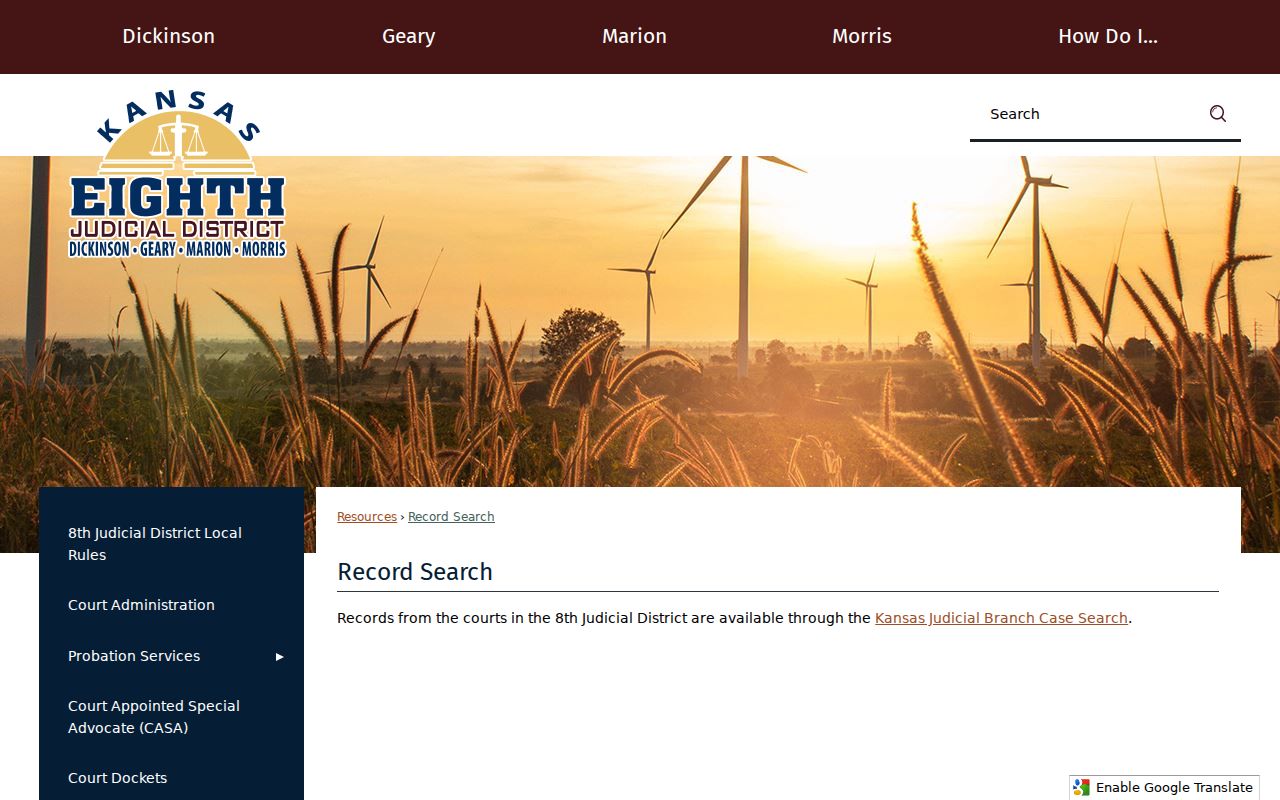
Rather than promising a separate Dickinson database, the local page sends searchers to the state system.
Dickinson Portal Versus Documents
Think of the Dickinson County court docket in two layers. The portal lists the basics: case number, parties, case type, judge, counsel, and events. That index is not the whole file. It promises no complete set of pleadings, orders, images, or exhibits. Online documents cover only public material filed after the court joined Kansas eCourt. Anything converted may still require the courthouse terminal.
The state treats courthouse records as open unless a restriction applies. So use the second-floor public terminal or the clerk counter at 109 E. 1st Street in Abilene. The clerk also takes record inquiries by telephone, in person, or in writing. Mail can go to P.O. Box 127, Abilene, KS 67410-0127, and the public fax is (785) 263-4407. A case number, document name, and filing date help the staff route your request.
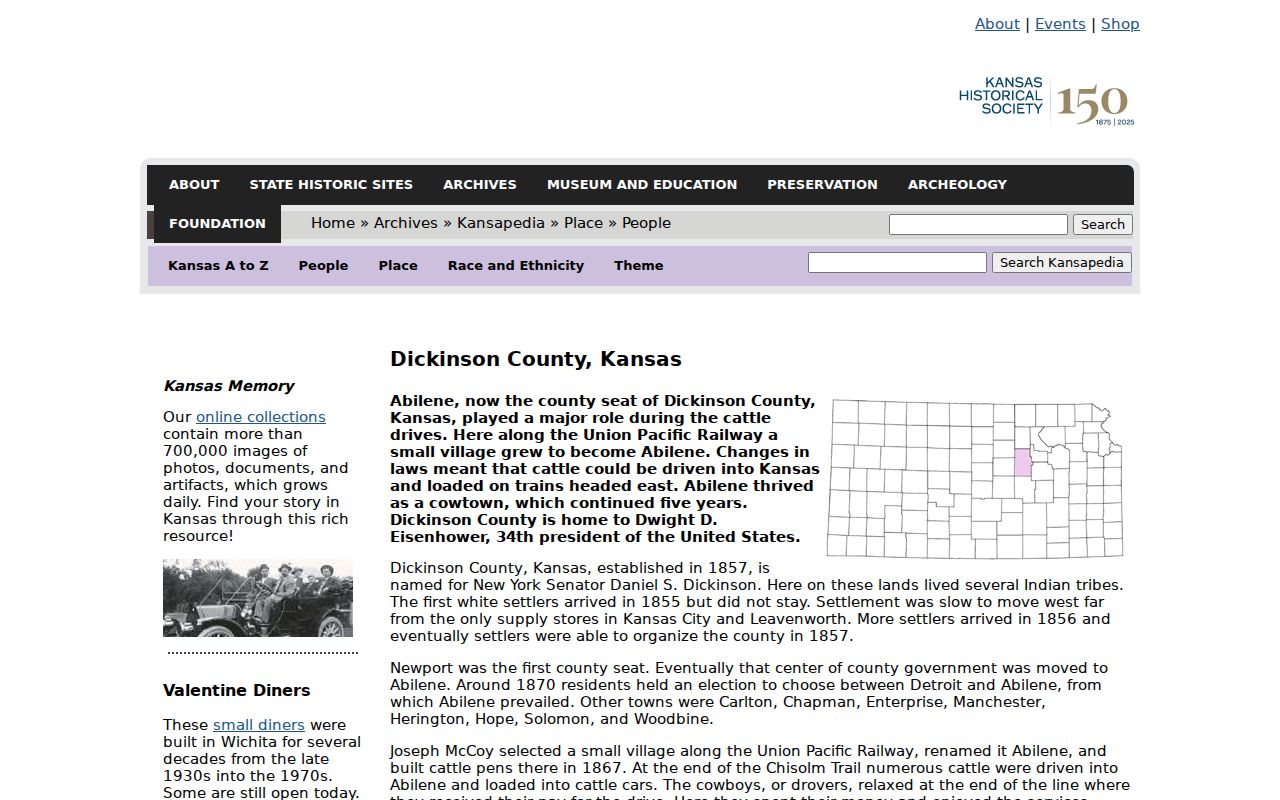
For the longer story behind these court records, a Kansas Historical Society Dickinson County source traces the county's history. It also traces the county's record-keeping past.
Paper filings in Dickinson County stretch back generations. The legal record predates both the 1956 courthouse and the 2019 digital migration, so much of the court docket still begins at the clerk's counter rather than on the web.
Dickinson Municipal-Court Detour
Got a citation? Read which court is named on it. A city ordinance or municipal traffic matter may never show up in a Dickinson District Court docket search. Abilene and Herington offer vendor-backed tools for citation search and payment. Chapman, Solomon, and Enterprise public sources send people to local court or city contacts. Those payment screens are convenient, but they are not full event-history dockets.
Contact that municipal clerk first. A municipal judgment can later create a Dickinson County District Court appeal. Yet the original file remains a city record. So a blank result on the statewide district portal is never proof that a city case never existed.
Right court first: District cases use the Kansas portal; municipal ordinance and city traffic cases use the named city's clerk or search channel.
Access and Restricted Cases
Electronic access to district and appellate records runs under Kansas Supreme Court Rule 22. Sealed records stay closed. Adoption, certain protection-order categories, many juvenile and CINC records, expunged criminal records, and grand-jury proceedings can all be withheld or restricted. Some family cases show information but hide the documents.
A blank result has many causes. It could be the wrong county, an old number format, odd name syntax, a city case rather than a district one, a converted document never posted, or a lawful restriction. "Sealed" is not a result or a dismissal. It simply means access stops. If public material is missing, use the terminal or ask Cindy J. MacDonald, Clerk of the District Court, for the lawful access path. A written Kansas Open Records Act request to the proper custodian cannot override a sealing order or court rule.
One more caution comes from the portal itself. Online results assist a Dickinson County case search, but they never become certified records.